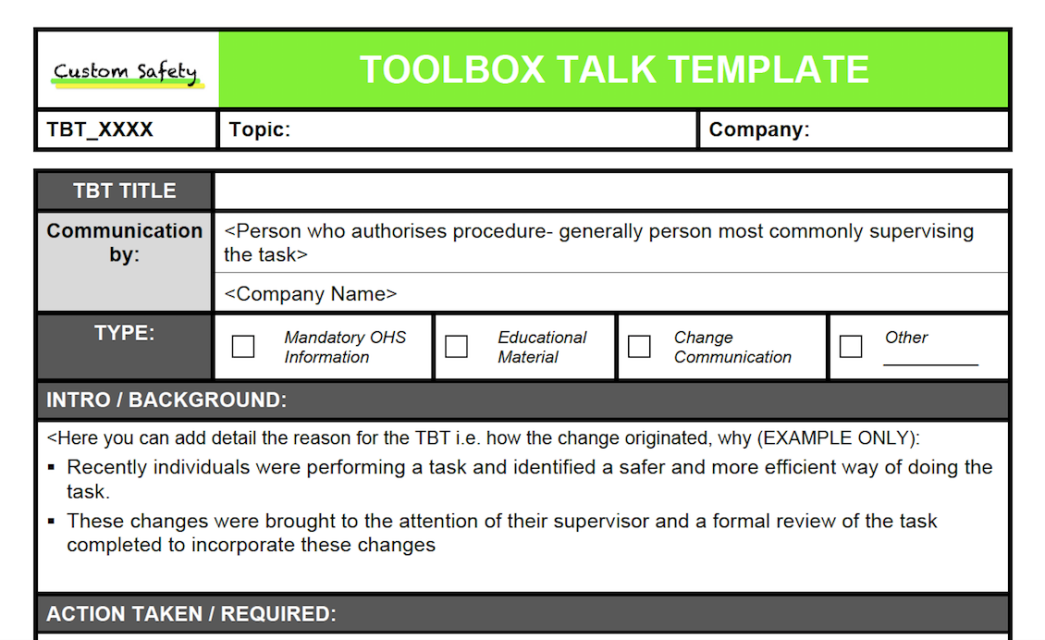
Safety doesn’t happen by accident — neither does communication around it. Yet across industries, especially in construction, manufacturing, and field services, critical safety discussions often fall through the cracks. The root cause? Poorly structured, inconsistent, or skipped toolbox talks. That’s where template toolbox talk examples become essential. They provide a repeatable, compliant, and effective way to communicate hazards, procedures, and expectations — without reinventing the wheel each week.
Templates eliminate guesswork. They ensure key topics are covered, reduce preparation time, and create a documented trail for audits or incident investigations. More importantly, they keep safety conversations relevant and actionable, not performative.
This guide delivers real-world template toolbox talk examples, structural insights, and practical tips to make your safety meetings stick — because a talk that’s forgotten by lunchtime isn’t safety. It’s theater.
Why Template Toolbox Talk Examples Work
Toolbox talks fail when they’re vague, rushed, or disconnected from actual job conditions. Generic lectures about “wearing PPE” won’t resonate if the crew just finished installing a fall arrest system on a 10-story scaffold. Relevance is everything.
Templates work because they:
- Standardize content without sacrificing adaptability
- Save time for supervisors who manage multiple crews
- Improve consistency across shifts, sites, and teams
- Support compliance with OSHA, ANSI, and company policies
- Document participation when signed and filed
A well-designed template isn’t a script — it’s a framework. It includes prompts for site-specific risks, open-ended questions, and space for worker input. The best templates guide discussion, not dictate it.
For example, a fall protection template might include: - A section for identifying current working heights on site - A checklist of anchor points and harness inspections - A prompt: “Has anyone observed a near-miss with fall protection this week?” - Sign-off lines for attendees
This turns a compliance exercise into a practical safety intervention.
Common Mistakes That Undermine Toolbox Talk Templates
Even the best template can fail if misused. Here are frequent pitfalls and how to avoid them:
1. One-size-fits-all application Using the same “slips and trips” talk every Monday, regardless of work being done, breeds complacency. Fix: Customize the “Job-Specific Risk” section of your template each time.
2. Reading from the page, not facilitating discussion A supervisor who drones through bullet points checks a box but doesn’t engage. Fix: Use the template as a guide. Ask questions. Pause. Invite observations.
3. Skipping documentation No signatures = no proof the talk happened. Fix: Always include sign-off lines. Use digital tools if paper trails are lost.
4. Overloading the template Templates with 15 sections and 20-minute run times get ignored. Fix: Keep it concise — 5 to 10 minutes of focused content.
5. Never updating content Outdated templates referencing old equipment or procedures erode credibility. Fix: Review and refresh templates quarterly or after incidents.
A template is only as strong as the process behind it. Treat it as a living document, not a poster on the wall.
5 Real-World Template Toolbox Talk Examples
Below are five practical, industry-tested template structures you can adapt to your operations.

#### 1. Fall Protection Template When to use: Working at heights (4+ feet), roof work, scaffolding, steel erection Key sections: - Current work area and height involved - Inspection of harnesses, lanyards, and anchor points - Fall protection hierarchy: guardrails > personal systems > warning lines - Emergency rescue plan — how will someone be retrieved? - Discussion prompt: “What’s one thing that could go wrong on this task?” - Sign-off: 3-5 attendee lines + supervisor
Pro tip: Include a quick visual — sketch the work area and mark fall zones.
#### 2. Lockout/Tagout (LOTO) Template When to use: Maintenance, equipment repair, service downtime Key sections: - Equipment name and ID number - Energy sources involved (electrical, hydraulic, pneumatic) - Verification of isolation — “Did we test for zero energy?” - Who applied the lock? Is the key secured? - Discussion prompt: “Have you seen a LOTO violation recently?” - Sign-off with roles (e.g., “Authorized Employee,” “Affected Employee”)
Limitation: This template assumes trained personnel. Never use for unqualified staff.
#### 3. Excavation and Trenching Template When to use: Digging deeper than 5 feet, utility work, shoring installation Key sections: - Depth of excavation and soil type (stable rock, Type C, etc.) - Protective systems in place (sloping, benching, trench box) - Spoil pile distance (must be 2+ feet from edge) - Atmospheric testing for confined spaces - Discussion prompt: “Would this trench hold up in a rainstorm?” - Sign-off + weather conditions noted
OSHA red flag: No protective system in trenches 5+ feet deep is a citable violation.
#### 4. PPE and High-Visibility Clothing Template When to use: Daily start-up, seasonal changes, new crew members Key sections: - Required PPE for today’s tasks (gloves, eye protection, FR clothing) - Inspection criteria: “No cracks, tears, or degradation” - High-vis requirements: ANSI Class 2 or 3? - Site-specific rules (e.g., “No earbuds on the pad”) - Discussion prompt: “What PPE do you forget most often?” - Sign-off with role-specific PPE list
Workflow tip: Pair this with a 30-second PPE check — “Scan your body from head to toe.”
#### 5. Hot Work and Fire Prevention Template When to use: Welding, cutting, grinding, brazing Key sections: - Hot work permit status (issued? valid?) - Fire watch assigned? Duration? Communication method? - Combustibles removed or shielded within 35 feet? - Extinguisher on-site and inspected? - Discussion prompt: “Where’s the nearest extinguisher from your work area?” - Sign-off + fire watch confirmation
Critical gap: Many teams skip the post-job monitoring. Add: “Fire watch continues for 30-60 minutes after work ends.”
How to Customize Templates for Maximum Impact
A template isn’t paint-by-numbers — it’s a starting point. Here’s how to tailor it effectively:
- Add site-specific details
- Replace generic headings like “Work Area” with actual locations: “East pump station, 2nd floor mezzanine.”
- Incorporate recent incidents or near-misses
- If a ladder slipped last week, update the “Falls from Elevation” template to include ladder angle and base stability.
- Use local language and slang when appropriate
- In crews with diverse backgrounds, simplify terms. “Hearing protection” becomes “ear plugs or muffs — whatever works, wear it.”
- Rotate facilitators
- Let a different crew member lead each week using the same template. Fresh voices keep attention higher.
- Link to work orders or JSA
- Reference the job safety analysis (JSA) for the day’s task. Example: “This talk supports JSA #114 for pipe welding.”
Customization turns templates from administrative overhead into operational tools.
Digital vs. Paper Templates: What Works Best?
Both formats have place — the key is matching the tool to your workflow.
| Factor | Paper Templates | Digital Templates |
|---|---|---|
| Setup Time | Low – print and go | Medium – requires device/training |
| Accessibility | On-site only | Cloud-based, remote access |
| Editing | Manual, error-prone | Real-time updates across teams |
| Signatures | Physical pen | E-signature or PIN |
| Data Use | Hard to analyze | Exportable for trends, audits |
Best use cases: - Paper: Small crews, short-duration projects, low-tech environments - Digital: Multi-site operations, corporate compliance tracking, integration with safety software
Popular platforms like SafetyCulture (iAuditor), Procore, and SiteDocs offer pre-built toolbox talk templates with analytics. But even a simple PDF checklist on a tablet beats a crumpled paper sheet left in the cab.
Building Your Own Template Library
Don’t rely solely on downloaded samples. Build a library that reflects your operations.
Step 1: Audit your risk register List your top 10 job hazards (e.g., falls, electrocution, struck-by incidents). Create one template per hazard.
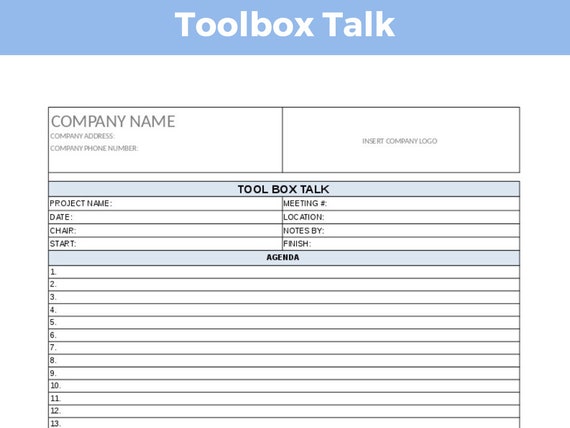
Step 2: Define core sections Every template should include: - Topic and date - Relevant hazard description - Controls in place - Discussion questions - Sign-off block
Step 3: Pilot and refine Run 3–5 talks using draft templates. Ask crews: “Was this useful?” Revise based on feedback.
Step 4: Store and distribute centrally Use a shared drive, intranet, or safety app. Ensure supervisors know where to find the latest version.
A living template library evolves with your site conditions, team feedback, and regulatory changes.
Toolbox talks shouldn’t be a chore. With the right template toolbox talk examples, they become a reliable channel for real safety improvement. The goal isn’t perfection — it’s consistency, clarity, and conversation. Start with one solid template, use it well, and build from there. Safety isn’t a one-time talk. It’s a daily dialogue — and templates keep it on track.
FAQ
What should a toolbox talk template include? A clear topic, hazard description, control measures, discussion questions, and sign-off section for attendees.
How long should a toolbox talk last? Ideally 5 to 10 minutes — long enough to cover key points, short enough to maintain attention.
Can I use the same template every week? Only if you customize the site-specific details. Repetition without relevance leads to disengagement.
Who should lead a toolbox talk? Typically a supervisor or crew leader, but rotating facilitators can improve engagement.
Are digital toolbox talk templates better than paper? Digital versions offer easier tracking and updates, but paper works well for small, low-tech teams.
Do toolbox talks need to be documented? Yes. Signed records prove compliance and help during audits or incident investigations.
How often should toolbox talks be held? Weekly is standard, but high-risk tasks may require daily talks.
FAQ
What should you look for in Template Toolbox Talk Examples for Safer Workplaces? Focus on relevance, practical value, and how well the solution matches real user intent.
Is Template Toolbox Talk Examples for Safer Workplaces suitable for beginners? That depends on the workflow, but a clear step-by-step approach usually makes it easier to start.
How do you compare options around Template Toolbox Talk Examples for Safer Workplaces? Compare features, trust signals, limitations, pricing, and ease of implementation.
What mistakes should you avoid? Avoid generic choices, weak validation, and decisions based only on marketing claims.
What is the next best step? Shortlist the most relevant options, validate them quickly, and refine from real-world results.